All digital products are the most recent version at the time of purchase, with no possibility of free updates beyond the initial purchase.
After payment, we will upload the product file within 24 to 48 hours.
We provide free support for 7 days after your purchase.
If you have any questions, please contact us by email contact@plugcode.in or create a ticket on this page.
After the purchase is confirmed, download links will be accessible for 7 days.
Please note that all digital products presented on PlugCode are 100% original files. You will receive the original files from the developers.
The response time can take up to 6 hours.
Studiox – Business Elementor Template Kit
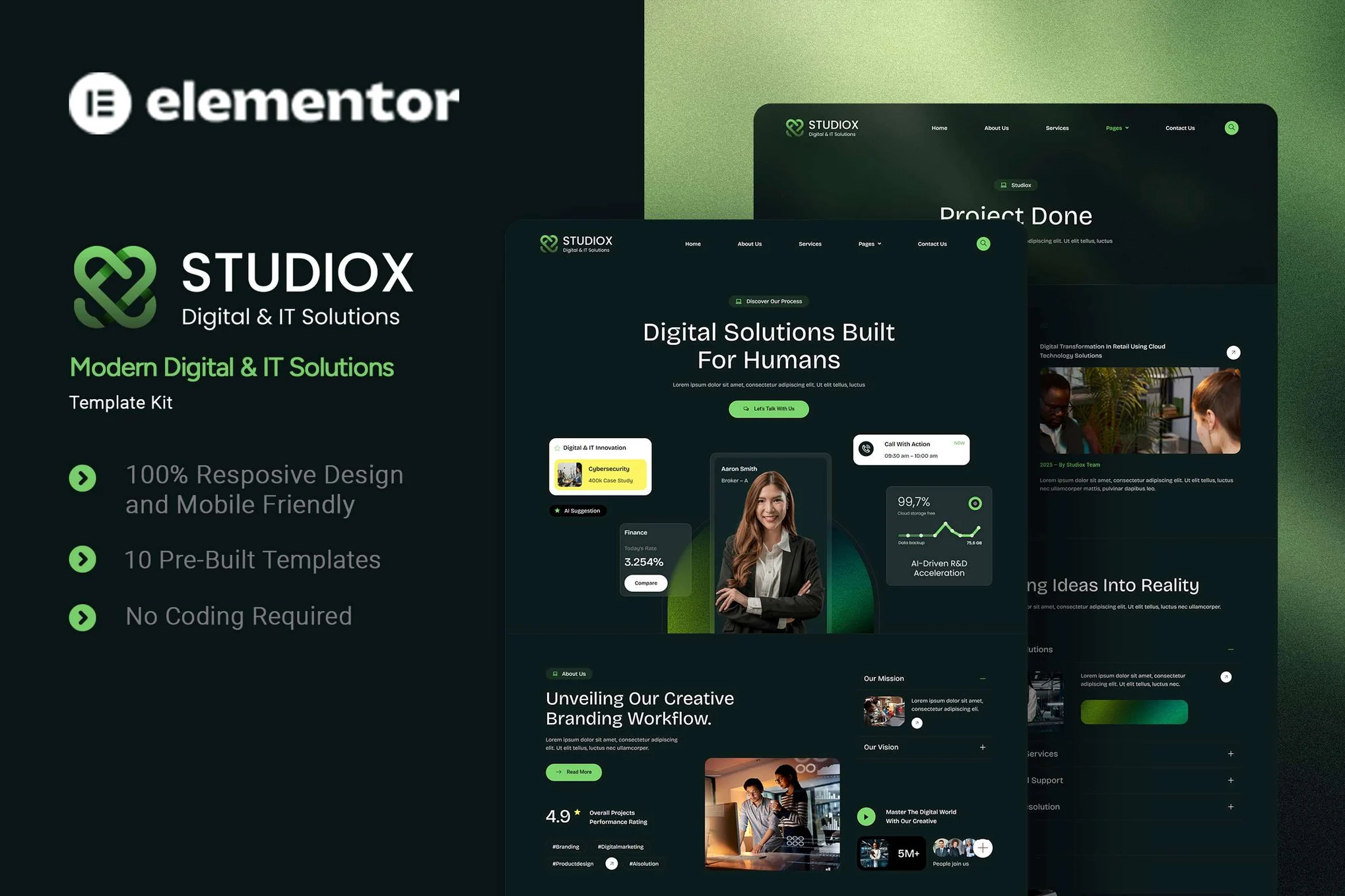
Studiox Modern Digital & IT Solution is an Elementor Template Kit designed for creating a complete business website in WordPress using Elementor. The kit provides a modern and professional layout suitable for agencies, studios, service-based businesses, and corporate websites.
The template kit includes a consistent design system and pre-built layouts to help users create a structured website efficiently. Studiox is optimized for use with the free Hello Elementor theme and is designed to be fast-loading and fully responsive across all devices.
Template Kit Overview
Studiox Modern Digital & IT Solution is an Elementor Template Kit, not a WordPress theme. It contains design templates created specifically for the Elementor Page Builder and must be installed using the Envato Template Kit Import plugin or directly through Elementor.
All templates are customizable using drag-and-drop editing. No coding knowledge is required.
Design and Responsiveness
The layouts use a clean and professional visual style with consistent spacing, typography, and alignment. The design system ensures uniform appearance across all pages.
All templates are fully responsive and adapt automatically to desktop, tablet, and mobile screen sizes.
Included Templates
The Studiox Modern Digital & IT Solution template kit includes the following page layouts:
- Home
- About Us
- Services
- Projects
- Our Team
- Testimonial
- FAQ
- Blog
- 404 Page
- Contact Us
Templates can be imported individually and customized according to project needs.
Fonts Used
The following Google Font is used in this template kit:
Font settings can be adjusted within Elementor if required.
Required Plugins
The following plugins are required or recommended for this template kit:
- Elementor
- ElementsKit
- MetForm
- Jeg Elementor Kit
- Ultimate Addons for Elementor Lite
All listed plugins are available through the WordPress plugin repository.
Installation and Usage
Studiox Modern Digital & IT Solution is installed using the Envato Template Kit Import plugin or directly through Elementor.
This template kit contains only Elementor design data and does not include WordPress theme files such as PHP templates or theme configuration options.
Installation Guide
A detailed installation guide is available at the Envato Help Center:
https://help.market.envato.com/hc/en-us/articles/36033428836889-How-to-Upload-Install-Elementor-Template-Kits-from-Themeforest-to-WordPress
For additional assistance, users can access support from the WordPress dashboard under Elementor > Get Help.
Header Setup Using Jeg Elementor Kit
If Elementor Pro is not installed, headers can be configured using the Jeg Elementor Kit plugin.
Steps:
- Go to Jeg Elementor Kit > Header Template
- Click Add New Header
- Add a condition and select All Site, then click Create
- Click the pencil icon to edit the header with Elementor
- Click the folder icon to open My Templates
- Insert the header template
- Customize and save
Pages created with Elementor should use the Elementor Full Width layout to display global headers correctly.
Importing MetForm Templates
To import Modern Digital & IT Solution MetForm custom forms:
- Edit the target page using Elementor
- Open the Elementor Navigator and locate the MetForm widget
- Click Edit Form in the widget panel
- Select New and click Edit Form
- Click the Add Template (folder icon)
- Open the My Templates tab
- Select the imported MetForm template and click Insert
- Click Update to save changes
Image Licensing Notice
This template kit uses demo images from Envato Elements for preview purposes only. Demo images are not included in the download package.
To use these images on a live website, users must license them separately from Modern Digital & IT Solution Envato Elements or replace them with their own images.
Demo image collection reference:
https://elements.envato.com/collections/GYSCAM7JTZ
Summary
Studiox Modern Digital & IT Solution is an Elementor Template Kit designed for modern business websites. It provides a collection of responsive, customizable templates built for Elementor and optimized for the Hello Elementor theme. The kit allows users to create a complete website layout efficiently while following Envato template kit guidelines.